GIGABYTE A16 3VH Review (2026): Ryzen 7 260 + RTX 5060 with 64GB RAM and 5TB Storage
The Overachiever: GIGABYTE A16 3VH Review — Ryzen 7 260, RTX 5060, and a Ridiculous 64GB of RAM
This post contains affiliate links. #CommissionsEarned
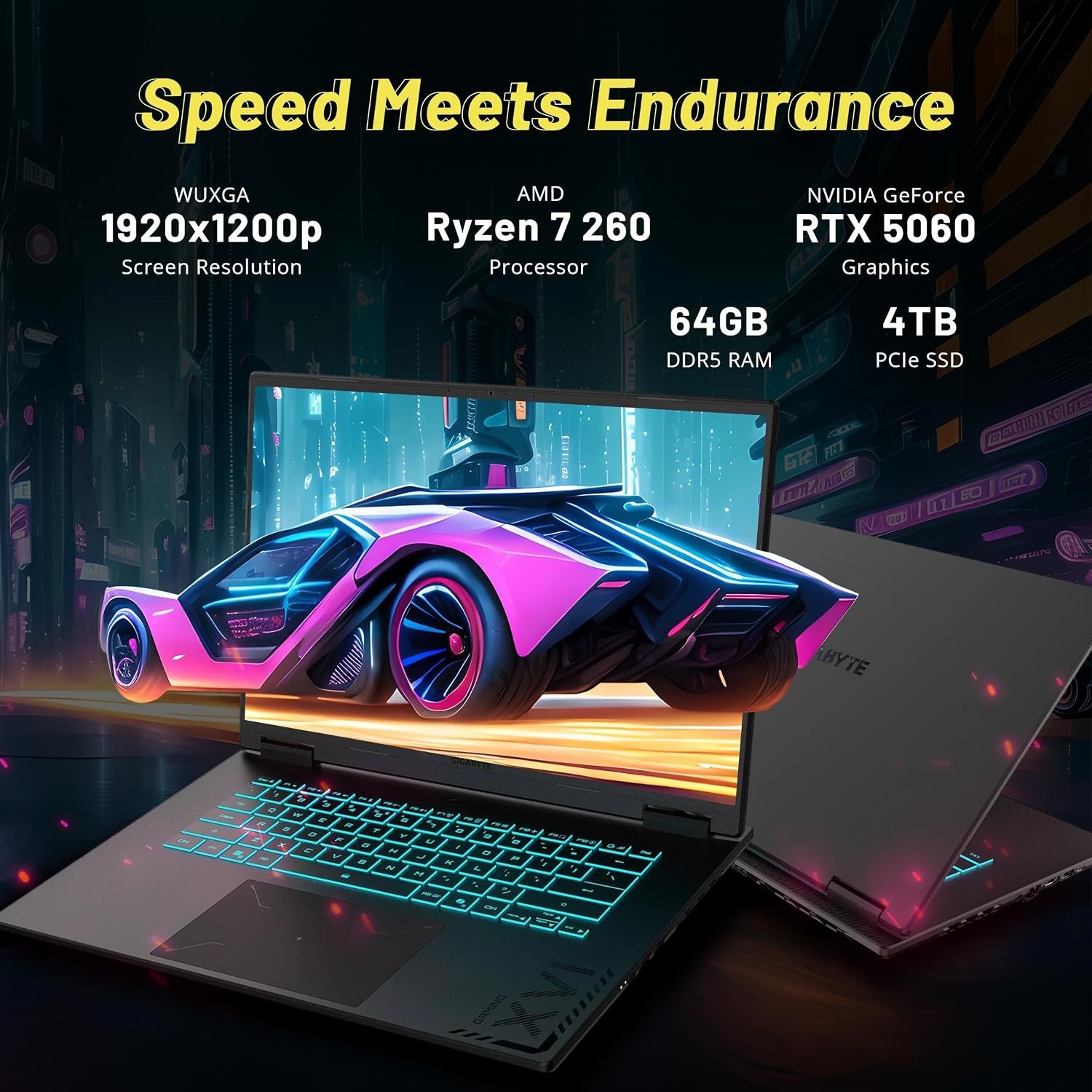
Most gaming laptops make you choose: fast and thin, or big and loaded. The GIGABYTE A16 3VH quietly refuses the choice. On paper it reads like someone crossed a competitive 16-inch gaming machine with a mobile workstation: AMD’s Ryzen 7 260 with eight cores boosting to 5.1GHz, NVIDIA’s RTX 5060 with 8GB of GDDR7, a 165Hz WUXGA display — and then, almost audaciously, 64GB of DDR5 memory and 5TB of total storage (a 4TB PCIe NVMe SSD plus a 1TB docking station in the bundle). This is a machine built for the player whose laptop is also their studio, their library, and their office.
This is a professionally upgraded configuration — seal opened for upgrade only, tested, and warrantied: the upgraded RAM and SSD carry a one-year warranty, while every original component retains its full one-year manufacturer coverage. GIGABYTE builds the platform; the integrator loads it to the ceiling. The result is a spec that simply does not exist on factory floors at this price.
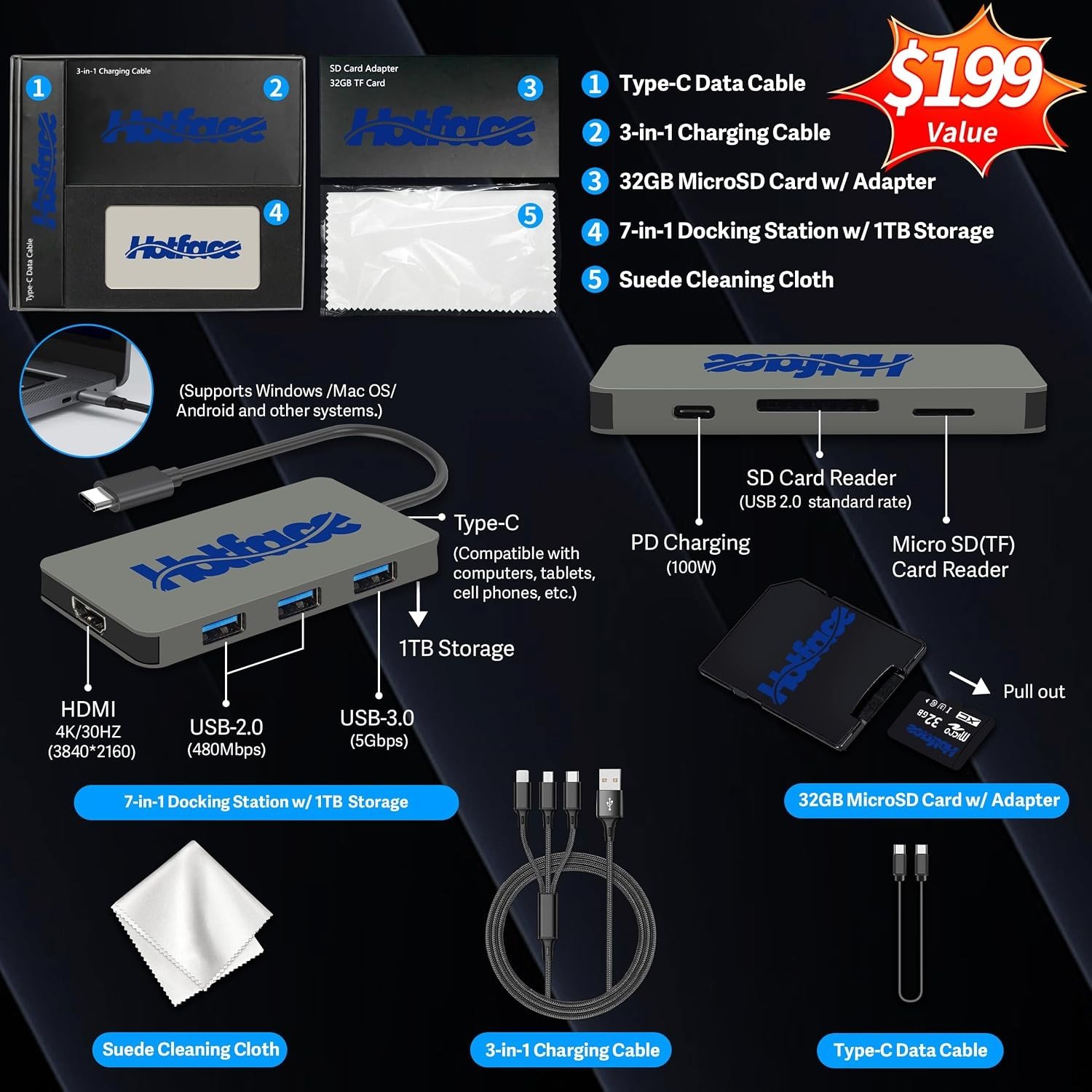
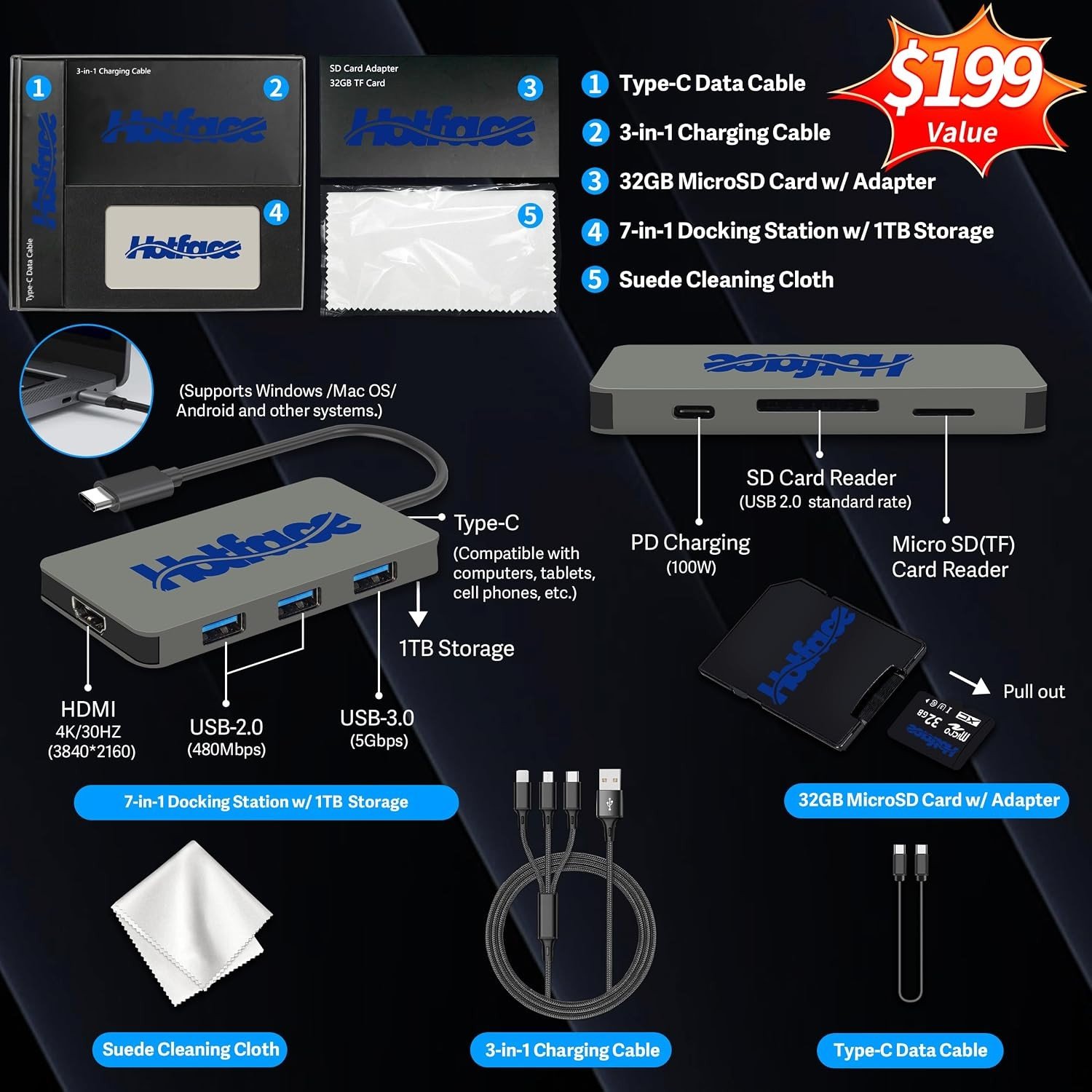
The bundle sweetens it further: a 7-in-1 docking station with its own terabyte of storage, a 32GB microSD card with adapter, a Type-C data cable, a 3-in-1 charging cable, and a suede cleaning cloth. Between the memory, the storage, and the desk kit, this machine arrives ready to do everything — immediately.
Silicon Foundations: Ryzen 7 260 & RTX 5060 GDDR7
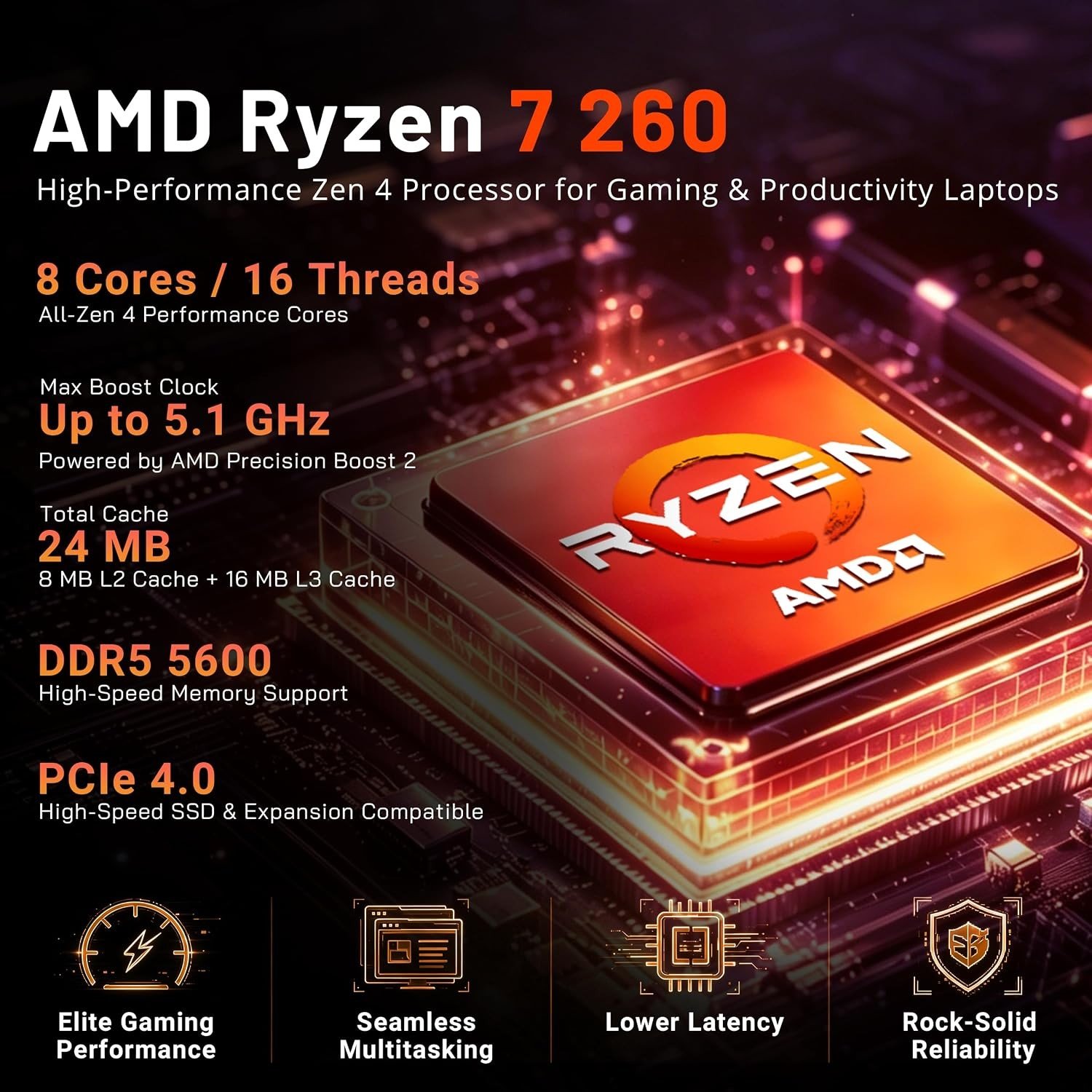
The AMD Ryzen 7 260 is the current sweet spot of gaming-mobile processors: eight cores and sixteen threads, a 3.8GHz base clock with boosts up to 5.1GHz. That core profile matters more each year as games spread their work across threads — and it doubles as a productivity engine, compiling, encoding, and multitasking with the composure of a desktop-class chip. NVIDIA’s GeForce RTX 5060 with 8GB of GDDR7 completes the gaming side: current-generation ray tracing, DLSS 4 frame generation for smooth high-refresh play, and the efficiency that keeps a 16-inch chassis both quick and livable. Together they target the sweet-spot experience: high-settings 1080p and 1440p-class gaming at high frame rates, with headroom for creative acceleration in supported applications.

64GB DDR5
Double the RAM of typical gaming flagships — the multitasking wall simply doesn’t exist here, today or in five years.
165Hz WUXGA Display
1920×1200 at 165Hz with 300 nits — the extra vertical space of 16:10 plus fluid high-refresh motion.
5TB Total Storage
4TB PCIe NVMe inside plus a 1TB docking station in the bundle — a complete game library and studio archive, carried.
Memory & Storage: The Headline Numbers
Let’s be honest about what 64GB of DDR5 means, because it is the single most unusual spec here. Flagship gaming laptops ship 32GB and call it generous. This machine doubles that — which converts directly into freedom: game, stream, chat, browser stack, and a video project open simultaneously without anyone waiting; virtual machines for development work; massive datasets for study or AI experimentation. RAM is the component you cannot fix later on most thin laptops, and this one arrives past the finish line. For a machine that will live through several years of heavier software, it is the cheapest future-proofing money can buy — already bought.
Storage follows the same philosophy. The 4TB PCIe NVMe SSD holds an entire modern game library — the era of uninstalling one game to install another is over — and boots, loads, and transfers at SSD speeds. The bundled 7-in-1 docking station adds its own terabyte as a travel drive, backup target, or capture offload. Between them, the “5TB” on the box behaves like a real workstation setup, not a marketing number.
The Display: 16:10 WUXGA at 165Hz
The 16-inch panel is a 1920×1200 WUXGA IPS display running at 165Hz with 300 nits of brightness. Two choices here deserve attention. First, 16:10 instead of 16:9: that extra vertical slice of screen is a genuine daily upgrade — documents, code, and web pages show more; competitive games render beautifully with extra HUD breathing room. Second, 165Hz: motion in fast titles stays crisp and responsive, and the anti-glare finish keeps reflections from owning the panel under room lighting. At 300 nits it is a bright, confident indoor display — exactly where gaming laptops live.
Keyboard, Connectivity & the Ports That Matter
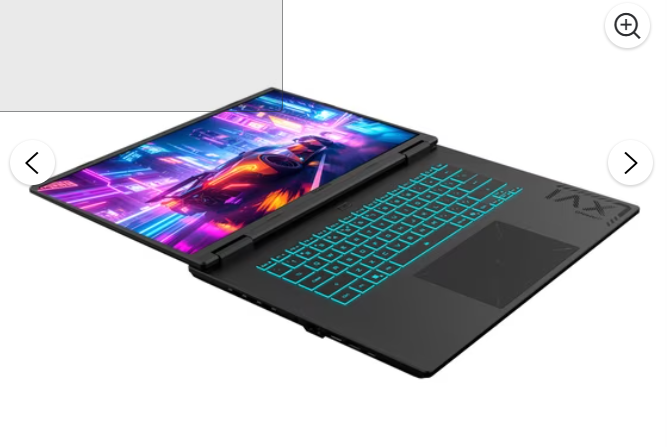
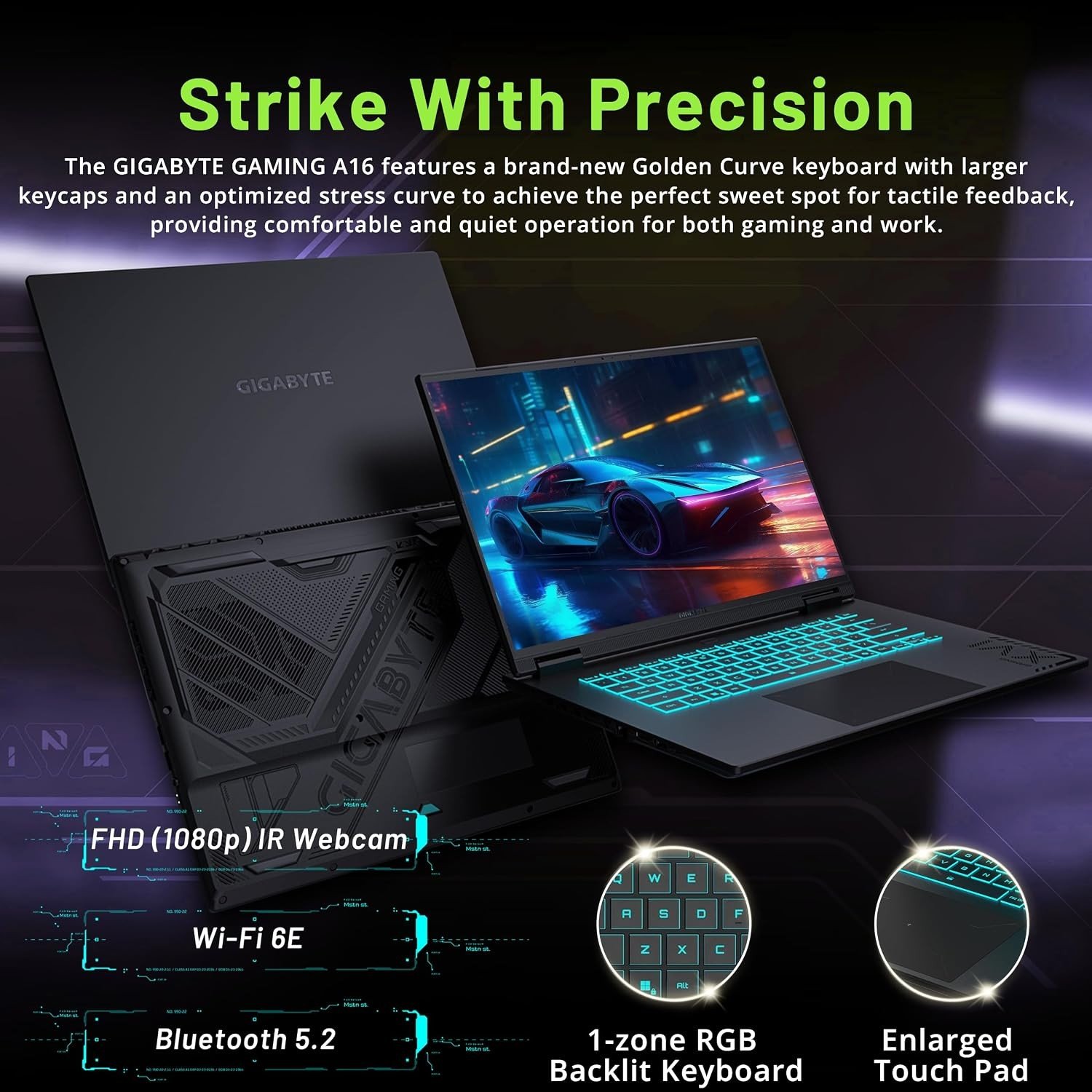
The RGB backlit keyboard sets the mood for evening sessions and stays readable in the dark. The port selection is where GIGABYTE shows practical thinking: one USB4 Type-C port for the fastest docks and drives, three USB-A ports for the peripheral fleet, HDMI 2.1 for an external monitor or TV at high refresh, a 3.5mm audio combo jack, and — the port thin laptops keep deleting — a full RJ45 ethernet jack for wired, latency-free competitive play. Wi-Fi 6E and Bluetooth 5.2 cover the wireless side with the low-latency, high-throughput standard online gaming wants. At 14.1 × 10.33 × 0.83 inches and 4.85 pounds, it is a full-size 16-inch machine that still travels in a backpack.
Technical Specifications Matrix
| Central Processor (CPU) | AMD Ryzen 7 260 — 8 cores, 16 threads, 3.8GHz base, up to 5.1GHz |
|---|---|
| Graphics Card (GPU) | NVIDIA GeForce RTX 5060, 8GB GDDR7 — DLSS 4, ray tracing |
| Display | 16-inch WUXGA 1920×1200 IPS, 165Hz, 300 nits, anti-glare |
| System Memory (RAM) | 64GB DDR5 |
| Storage | 5TB total — 4TB PCIe NVMe SSD + 1TB docking station (bundle) |
| Keyboard | RGB backlit |
| Ports | 1x USB4 Type-C, 3x USB-A, 1x HDMI 2.1, 1x RJ45, 1x 3.5mm combo, DC-in |
| Wireless | Wi-Fi 6E + Bluetooth 5.2 |
| Dimensions & Weight | 14.1 x 10.33 x 0.83 inches — 4.85 lbs |
| Operating System | Windows 11 Home |
| Bundle | 7-in-1 docking station (1TB), 32GB microSD + adapter, cables, cleaning cloth |
| Warranty | 1-year on upgraded RAM/SSD + 1-year manufacturer warranty on original components |
Who This Machine Is Built For
The gamer with a library, not a game. 4TB of NVMe holds the entire Steam backlog installed — no more storage Tetris before every new release.
The creator-hybrid. Editing, streaming, and designing alongside gaming: 64GB of RAM and eight cores are precisely the toolkit that workload needs, in a chassis that still games hard after work ends.
The competitive player on wired networks. RJ45 ethernet plus Wi-Fi 6E plus a 165Hz panel is a low-latency triple that ranked play deserves.
The future-proof buyer. The two components laptops never let you upgrade — memory and storage — arrive here at maximum, warrantied, done.
Product Evaluation: Pros & Considerations
Pros
- 64GB of DDR5 — double the flagship standard, and the spec that outlives everything else.
- 5TB total storage: a 4TB NVMe library inside plus a 1TB docking station in the bundle.
- 165Hz 16:10 WUXGA display — fluid motion with extra workspace over standard 16:9.
- RJ45 ethernet survived the thinning — plus USB4, HDMI 2.1, and Wi-Fi 6E.
- Ryzen 7 260 (8C/16T, 5.1GHz) + RTX 5060 GDDR7: the current sweet-spot pairing, complete.
- Full accessory kit: docking station, microSD, cables, cloth — and dual warranty coverage.
Consider Alternatives If
- You chase absolute maximum 1440p/4K frame rates — a higher GPU tier is built for that mission.
- You need a sub-4-pound ultraportable — at 4.85 lbs this is a full-size desktop-replacement class machine.
- You prefer a factory-sealed configuration — this is a professionally upgraded, dual-warrantied build.
- 1-zone RGB keyboard lighting is simpler than the per-key suites on flashier flagships.
Frequently Asked Questions
Is 64GB of RAM actually useful in a gaming laptop?
For gaming alone, 32GB is comfortable — but the moment the same machine streams, edits, runs development tools, or keeps a heavy multitasking environment alive, RAM becomes the first permanent wall. This configuration removes that wall for the life of the machine, and since most thin laptops never let you upgrade memory later, arriving at 64GB from day one is the only way to get there.
What does the upgraded configuration mean for warranty?
The seal was opened for upgrade only: the RAM and SSD were professionally installed, tested, and carry a one-year warranty, while every original component retains its full one-year manufacturer warranty. Both halves of the machine are covered from day one, each by the party that knows it best.
Why does 16:10 WUXGA matter for a gaming display?
The 1920×1200 panel gives you extra vertical space over standard 1920×1080 — more document, more code, more webpage per screen — while games render at the same sharp clarity. At 165Hz, motion in fast titles stays crisp; at 300 nits with anti-glare, the display stays comfortable in real room lighting.
Is the docking station bundle actually useful?
Genuinely: a 7-in-1 hub with its own 1TB of storage works as a backup drive, a capture offload, a game-library shuttle between machines, and a travel companion — and it arrives alongside a 32GB microSD card with adapter, a Type-C data cable, a 3-in-1 charging cable, and a suede cleaning cloth. It rounds out the desk setup on day one.
This post contains affiliate links. #CommissionsEarned
As an Amazon Associate, I earn from qualifying purchases. This editorial review is based on an objective analysis of the manufacturer’s published technical specifications. Product prices, shipping schedules, and item availability are managed entirely by Amazon US and are subject to change without notice. Amazon and the Amazon logo are trademarks of Amazon.com, Inc. or its affiliates.