Dell OptiPlex 3050 SFF Review (2026): The Budget Desktop That Still Wins
The Smartest Money in Desktops: Dell OptiPlex 3050 SFF Review (2026)
This post contains affiliate links. #CommissionsEarned
The renewed-business-desktop market has quietly become the best-kept secret in computing, and the OptiPlex 3050 SFF is its champion. This configuration pairs Intel’s quad-core i5-6500 (boosting to 3.6GHz) with 16GB of DDR4 memory, a 256GB SSD, built-in WiFi, and genuine 4K display support over both DisplayPort and HDMI — all inside Dell’s compact corporate chassis, arriving with Windows 11 Pro 64-bit installed. For the price of a low-end tablet, this is a complete, quiet, dual-monitor-ready work computer — professionally renewed and tested.
Dell built the OptiPlex line for corporations that buy in thousands and demand five years of daily service — which means quality capacitors, tool-less serviceability, and a thermal design with real margin. When those fleets retire, machines like this get professionally renewed: cleaned, tested, reconfigured with a licensed Windows 11 Pro installation, and shipped ready to work.
The spec sheet reads like a wish list for everyday computing: four real CPU cores, four times the RAM of most new budget desktops, a fast SSD, WiFi out of the box, and dual-display outputs that drive up to 4K — the single biggest productivity upgrade there is.
Silicon Foundations: Quad-Core i5-6500
The Core i5-6500 is a genuine quad-core processor with boost clocks up to 3.6GHz — and paired with 16GB of RAM and an SSD, it delivers the trio that actually determines how a computer feels day to day. Documents, spreadsheets, and email run effortlessly. Dozens of browser tabs coexist with a video call without the machine choking. Streaming 1080p and 4K video draws a fraction of its capability. The honest boundary is the same as ever for integrated graphics: this is a productivity machine, not a gaming rig — and within that lane, it feels quick and completely stress-free.
16GB DDR4 RAM
Four times the memory most new budget desktops ship with — real multitasking headroom for tabs, calls, and documents all at once.
256GB SSD
Fast solid-state storage that boots in seconds, opens apps instantly, and transforms the everyday feel of the machine.
4K Dual-Display Ready
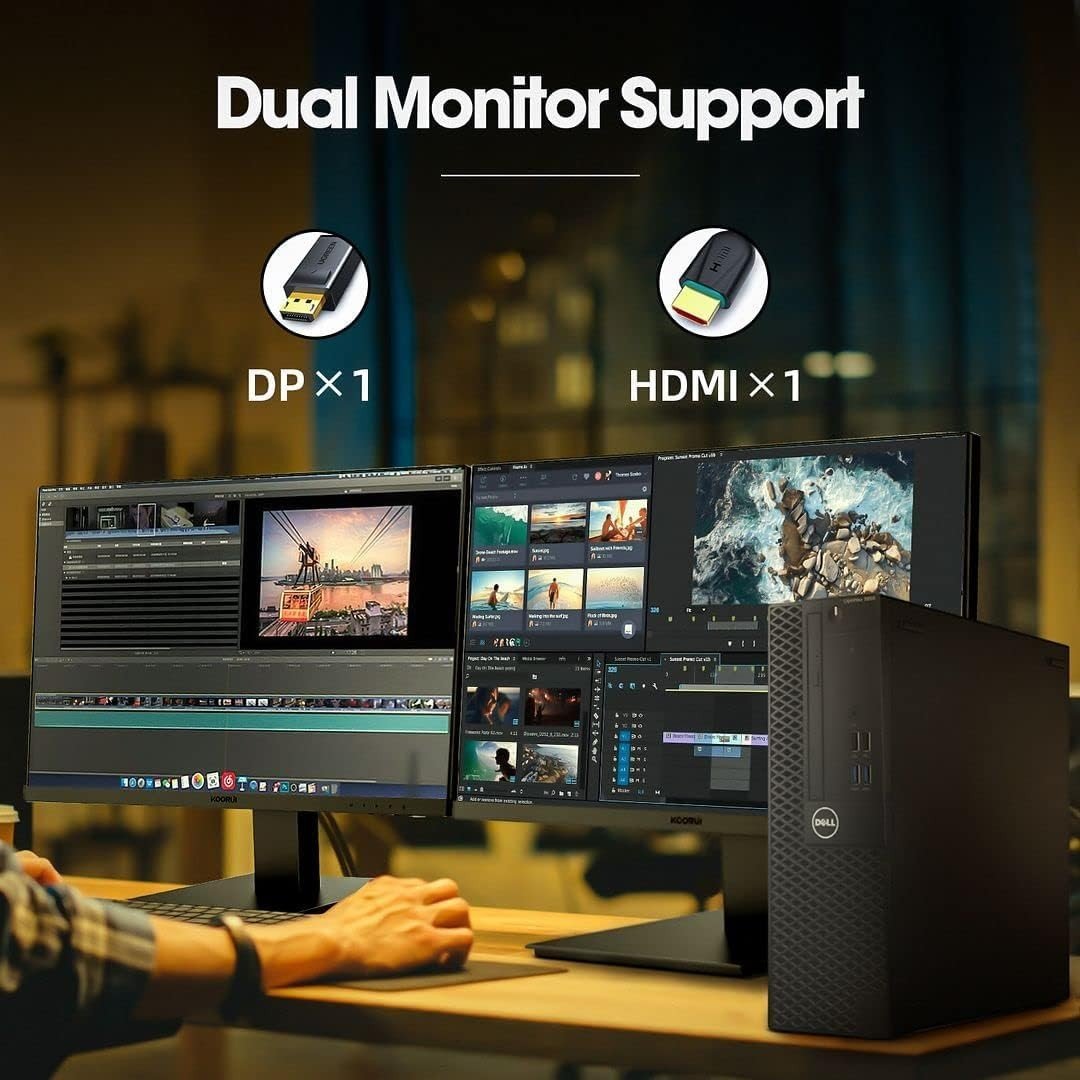
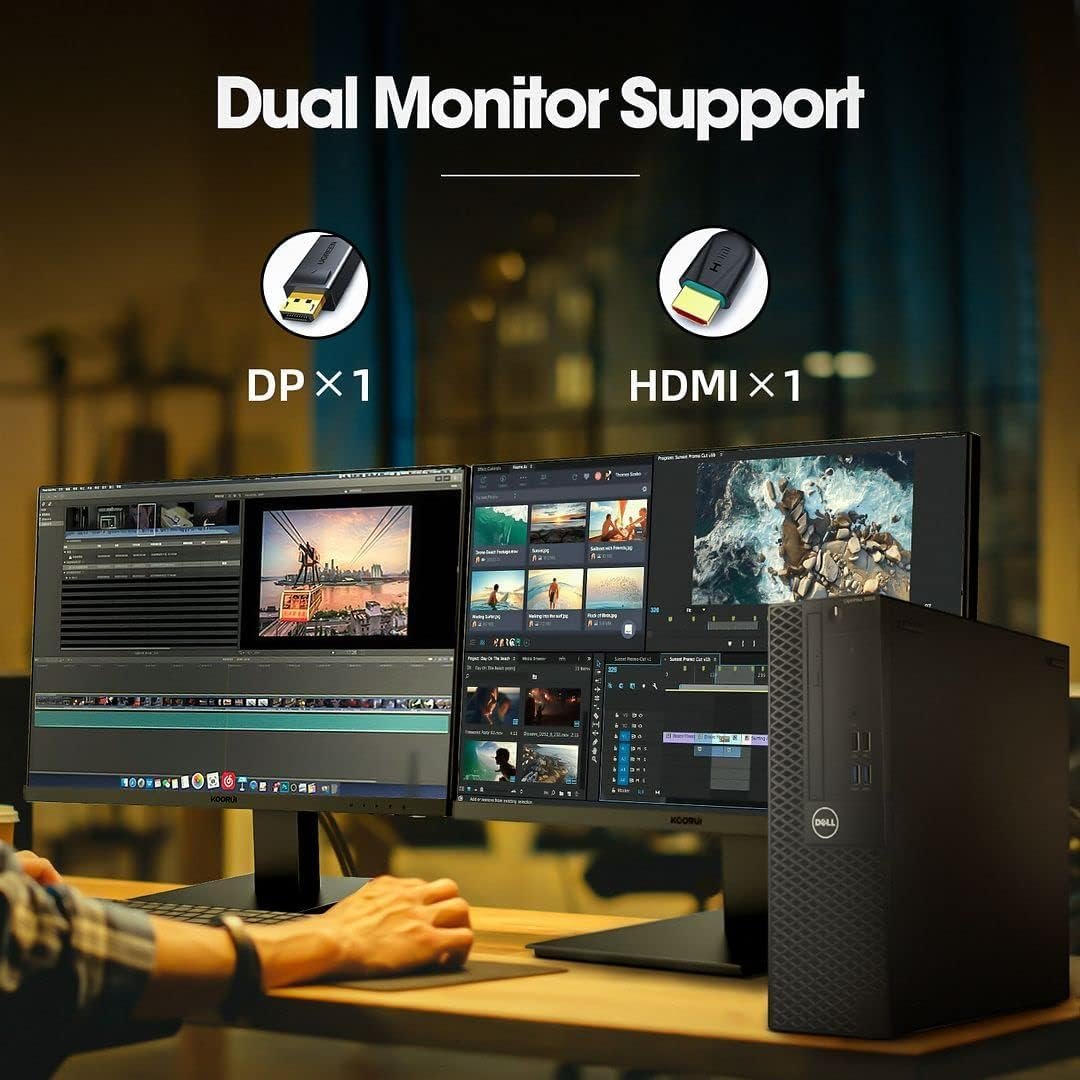
DisplayPort and HDMI outputs each support up to 4K — drive two monitors and build the workspace productivity deserves.
Design: Corporate DNA in a Compact Chassis
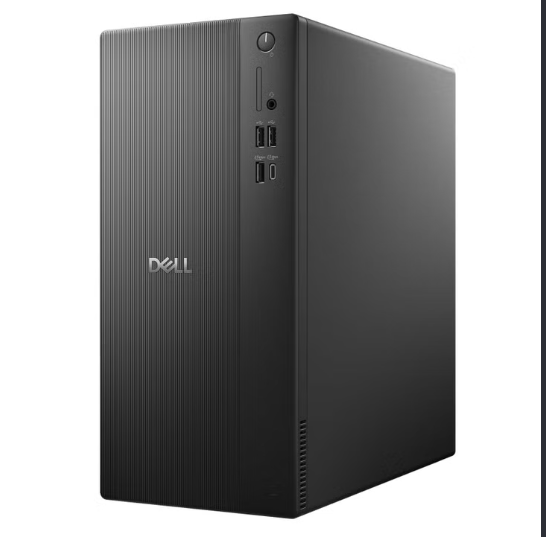
The “SFF” is the point: this chassis is roughly the width of a hardcover book laid flat. It slides behind a monitor, sits beside a desk leg, or mounts under a monitor arm with an inexpensive bracket — on a small desk or in a dorm room, that footprint matters every single day. And because it was engineered for IT departments, entry is tool-less and the internals are serviceable by design: add RAM, swap the SSD, drop in a second drive. This is a desktop that grows with you instead of getting replaced.
Connectivity: WiFi, 4K Outputs & a Full Port Set
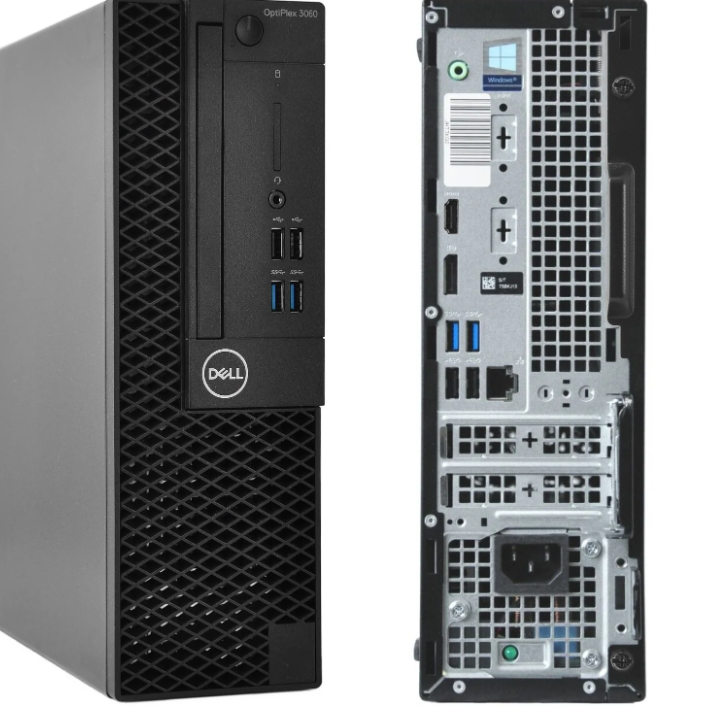
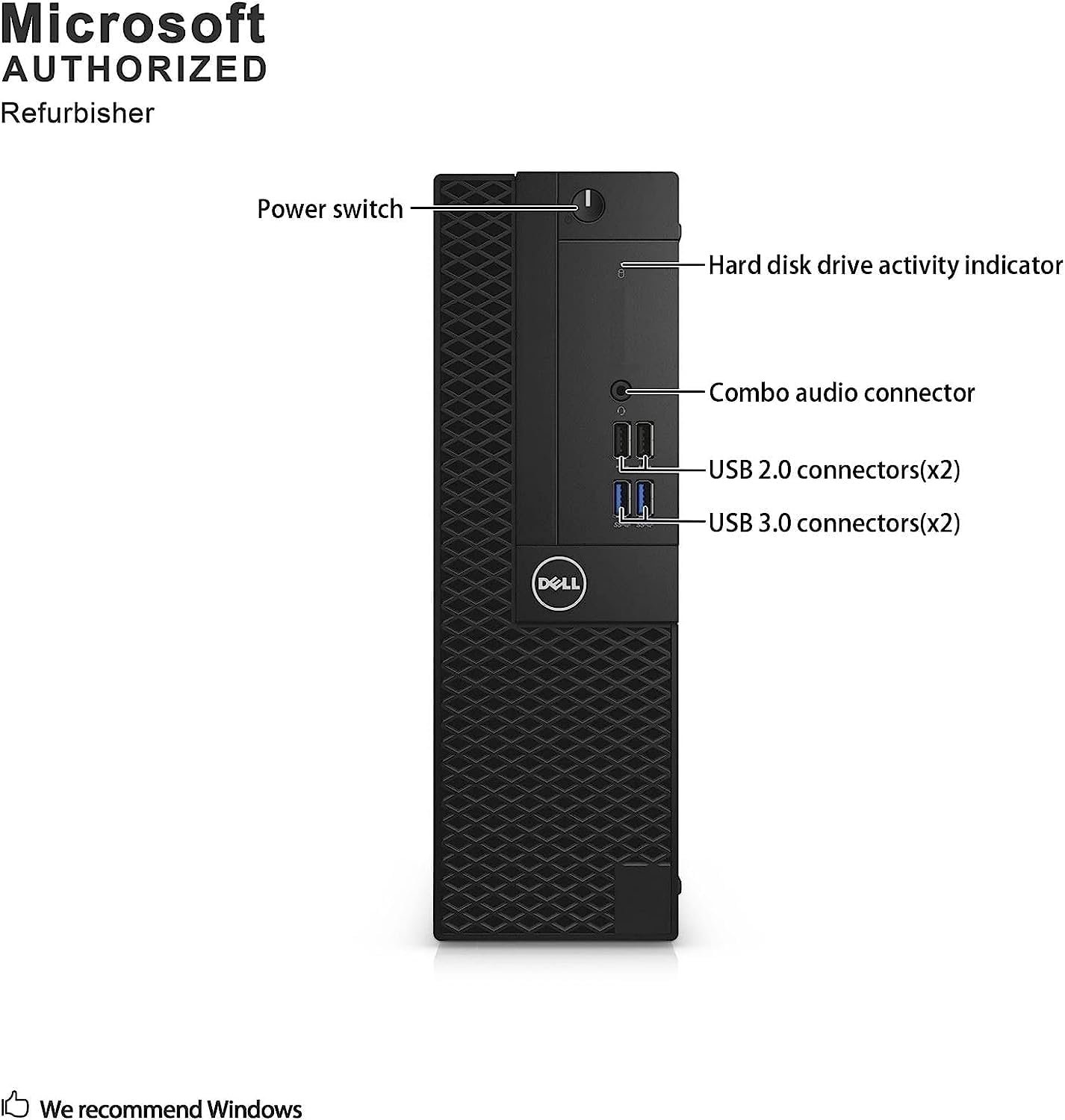
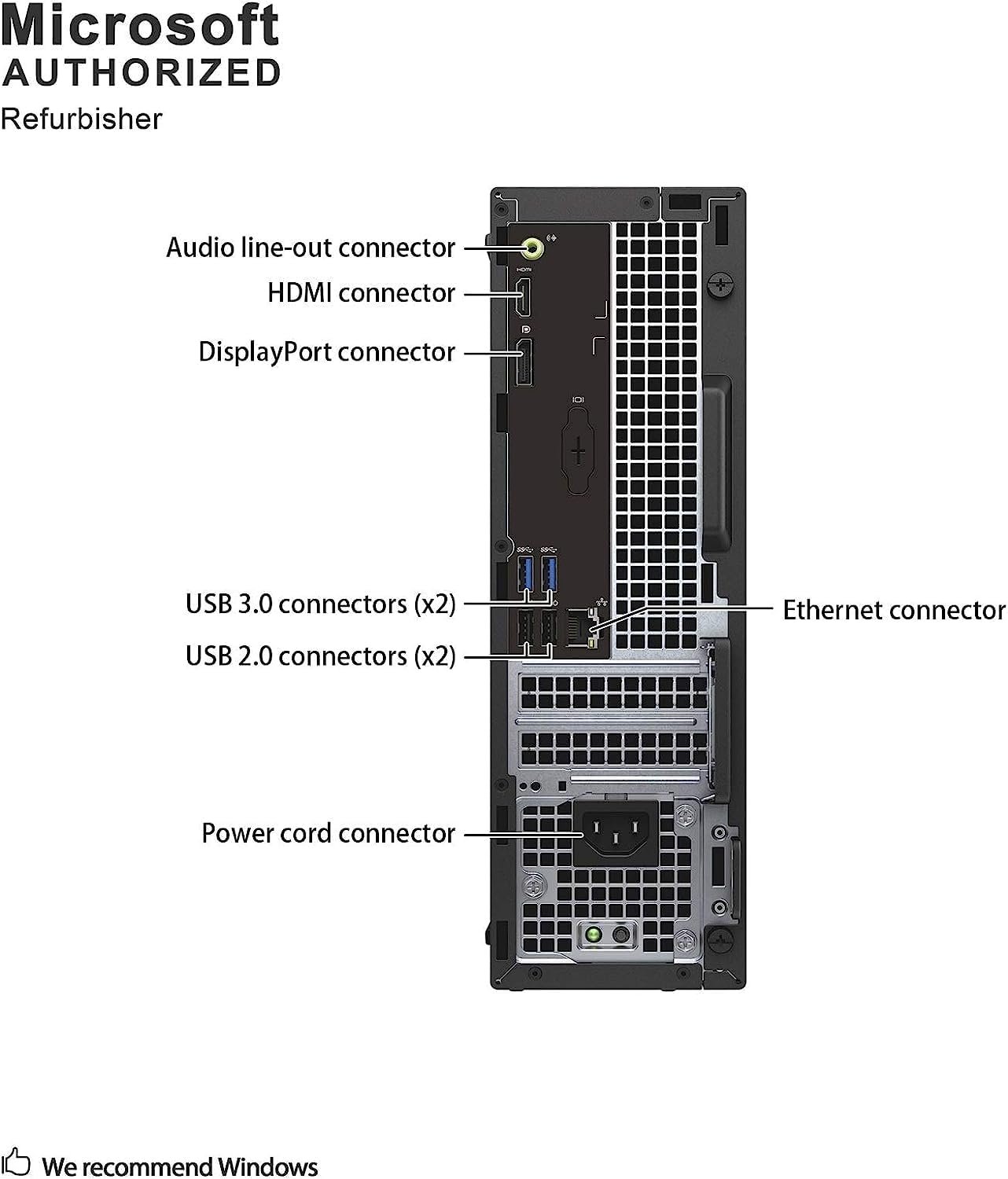
Business machines are generous with ports, and the 3050 SFF delivers: USB ports front and rear for peripherals, DisplayPort and HDMI for displays (each supporting up to 4K), and built-in WiFi so it connects to the network the moment it lands on a desk — no dongles, no ethernet run required. Legacy-friendly outputs also mean older monitors and projectors just work. Exact port layout can vary slightly between refurbisher configurations, so a glance at the listing photos is worthwhile before ordering.
Windows 11 Pro 64-Bit: Business-Grade Out of the Box
This unit arrives with Windows 11 Pro 64-bit installed — the business edition, not the consumer one. Pro brings BitLocker encryption, remote desktop, and the management toolset offices rely on, alongside the polished everyday interface: snap layouts for organizing windows across two monitors, focused notifications, and the modern Windows experience. For a home office, a student desk, or a small business, the OS is a genuine step up from what budget new desktops ship with.
Technical Specifications Matrix
| Central Processor (CPU) | Intel Core i5-6500 — 4 cores, up to 3.6GHz |
|---|---|
| System Memory (RAM) | 16GB DDR4 |
| Storage | 256GB SSD |
| Graphics | Integrated Intel HD Graphics 530 |
| Display Outputs | DisplayPort + HDMI — up to 4K support, dual-monitor capable |
| Networking | WiFi built-in + ethernet |
| Form Factor | Small Form Factor (SFF) — compact, tool-less entry |
| Operating System | Windows 11 Pro 64-bit (installed) |
| Condition | Professionally renewed (Renewed) — tested and licensed |
Who This Desktop Is Built For
The home-office professional. Documents, email, calls, and a dual 4K-monitor setup — the exact workload this machine was born for.
The student. Research, writing, and web portals run smoothly, and the compact chassis fits dorm desks.
The smart-budget buyer. Anyone who wants the most computer per dollar — corporate-grade hardware at a fraction of its original price.
The upgrader. Buy smart now, add storage or memory later — the chassis makes that path easy.
Product Evaluation: Pros & Considerations
Pros
- Quad-core i5 with 16GB of RAM and an SSD — the trio that makes everyday computing fast.
- 4K support over both DisplayPort and HDMI — dual-monitor ready out of the box.
- Windows 11 Pro 64-bit pre-installed — the business edition, not the consumer one.
- WiFi built in, plus a full business-class port set.
- Corporate-grade chassis: compact, quiet, tool-less, and endlessly serviceable.
Consider Alternatives If
- You game or edit video seriously — a discrete-GPU machine is the right tool for that work.
- You prefer brand-new-in-box hardware — this is a professionally renewed unit with normal light cosmetic wear.
- You need massive local storage — 256GB is right-sized for cloud-era workflows but small for media hoarding.
Frequently Asked Questions
Is a renewed OptiPlex reliable?
Yes, with the right expectations. These corporate machines are renewed by specialist sellers — cleaned, tested, and shipped with a licensed Windows installation. Check the seller rating and stated warranty on the listing before ordering, and you are getting business-grade hardware for a fraction of its original price.
Can it really drive 4K displays?
Yes — both the DisplayPort and HDMI outputs support up to 4K resolution, and the machine handles a dual-monitor desk setup natively. Two screens at 1080p or one at 4K: both are exactly the scenario this class of desktop was designed for.
Is 16GB of RAM a big deal at this price?
It is the single biggest reason this machine outperforms new desktops at the same price. New budget towers typically ship 4–8GB, which is the first wall users hit with modern multitasking. Sixteen removes that wall for the life of the machine.
This post contains affiliate links. #CommissionsEarned
As an Amazon Associate, I earn from qualifying purchases. This editorial review is based on an objective analysis of the manufacturer’s published technical specifications. Product prices, shipping schedules, and item availability are managed entirely by Amazon US and are subject to change without notice. Amazon and the Amazon logo are trademarks of Amazon.com, Inc. or its affiliates.